Ugreen NAS’s HDMI Port Turns the Network Drive into a Media Player, Phone Becomes Remote
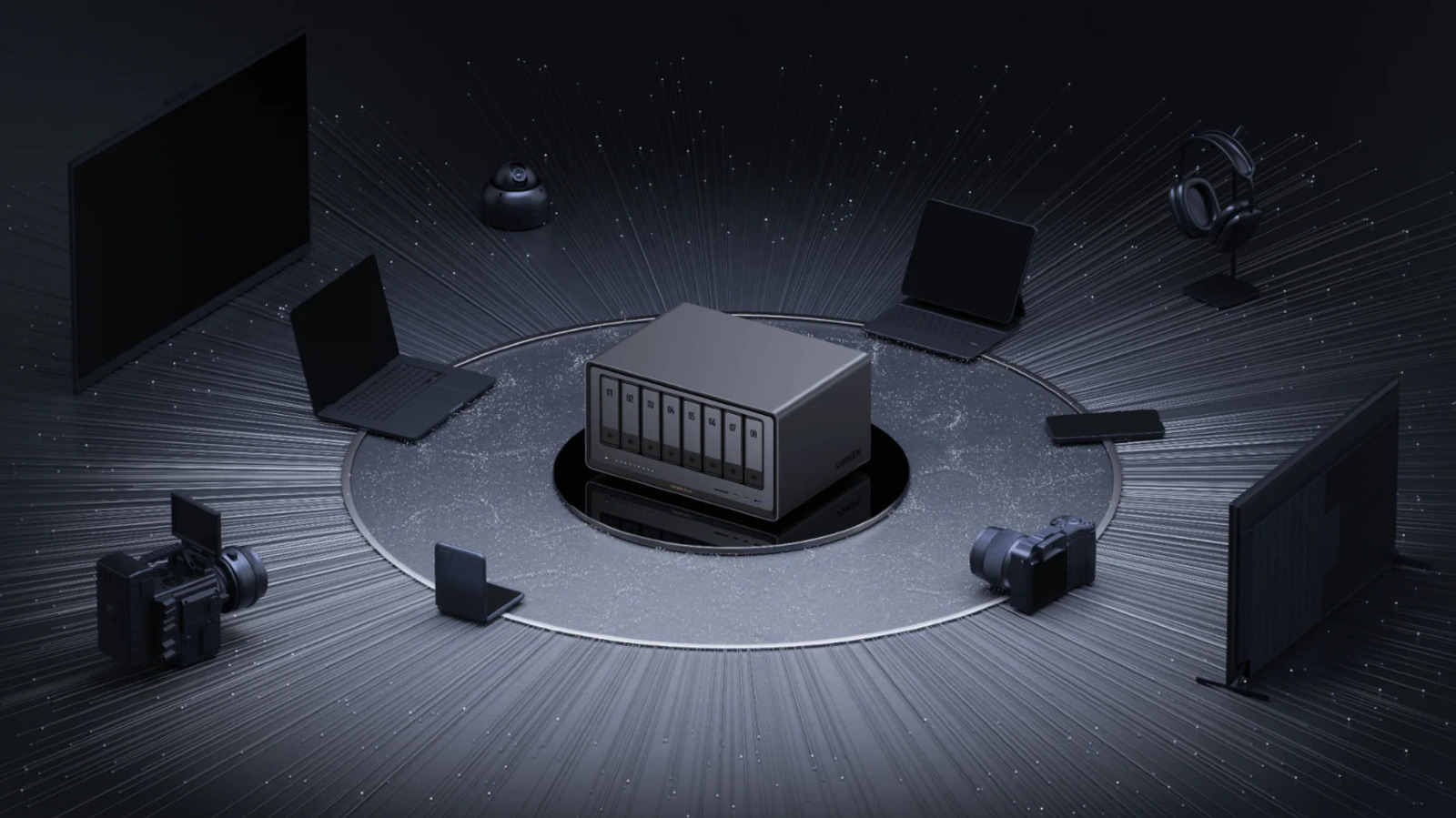
The latest Ugreen network-attached storage (NAS) unit includes an HDMI output that lets users connect the device directly to a television or monitor and stream stored media without a separate computer.
When the NAS is hooked up to a display, it operates much like a simple media hub: movies, music, and photos saved on the drive appear on the screen, and playback can be controlled through a companion app on a smartphone. The app functions as a remote, allowing users to navigate folders, select files, adjust volume, and manage playlists from the comfort of their couch.
Ugreen’s design choice reflects a broader trend among consumer NAS manufacturers to add multimedia-friendly features that appeal to home‑entertainment setups. While traditional NAS devices are primarily used for data backup, file sharing, and cloud‑like access, the HDMI port expands their utility by offering a plug‑and‑play viewing experience similar to dedicated media players.
Setting up the HDMI connection is straightforward. After inserting the NAS’s power cable and linking it to a home network, users attach an HDMI cable from the device’s port to a TV or monitor. Once the display detects the signal, the Ugreen app—available for iOS and Android—guides users through pairing their phone with the NAS over the local Wi‑Fi network.
Because the phone acts as the remote, there is no need for a separate infrared or Bluetooth controller. This approach also ensures that the interface can be updated remotely via app updates, keeping the navigation experience current without requiring firmware changes on the NAS itself.
Industry analysts note that the inclusion of HDMI may attract a wider audience, particularly households looking to consolidate storage and media playback into a single device. However, they caution that the feature is best suited for casual streaming rather than high‑performance gaming or 4K HDR content, which may demand more powerful hardware.
Looking ahead, Ugreen has not announced any plans to add additional video outputs or support for advanced audio formats, but the company’s roadmap suggests future firmware enhancements could improve compatibility with popular streaming services and subtitle handling.
For now, owners of the Ugreen NAS can enjoy a simple, cost‑effective way to turn their media library into a living‑room experience, using only a TV, an HDMI cable, and their smartphone as a remote control.
Comments (0)
Be the first to comment.
Join the discussion