Understanding 3D Printing Infill: How It Affects Strength, Weight, and Print Time
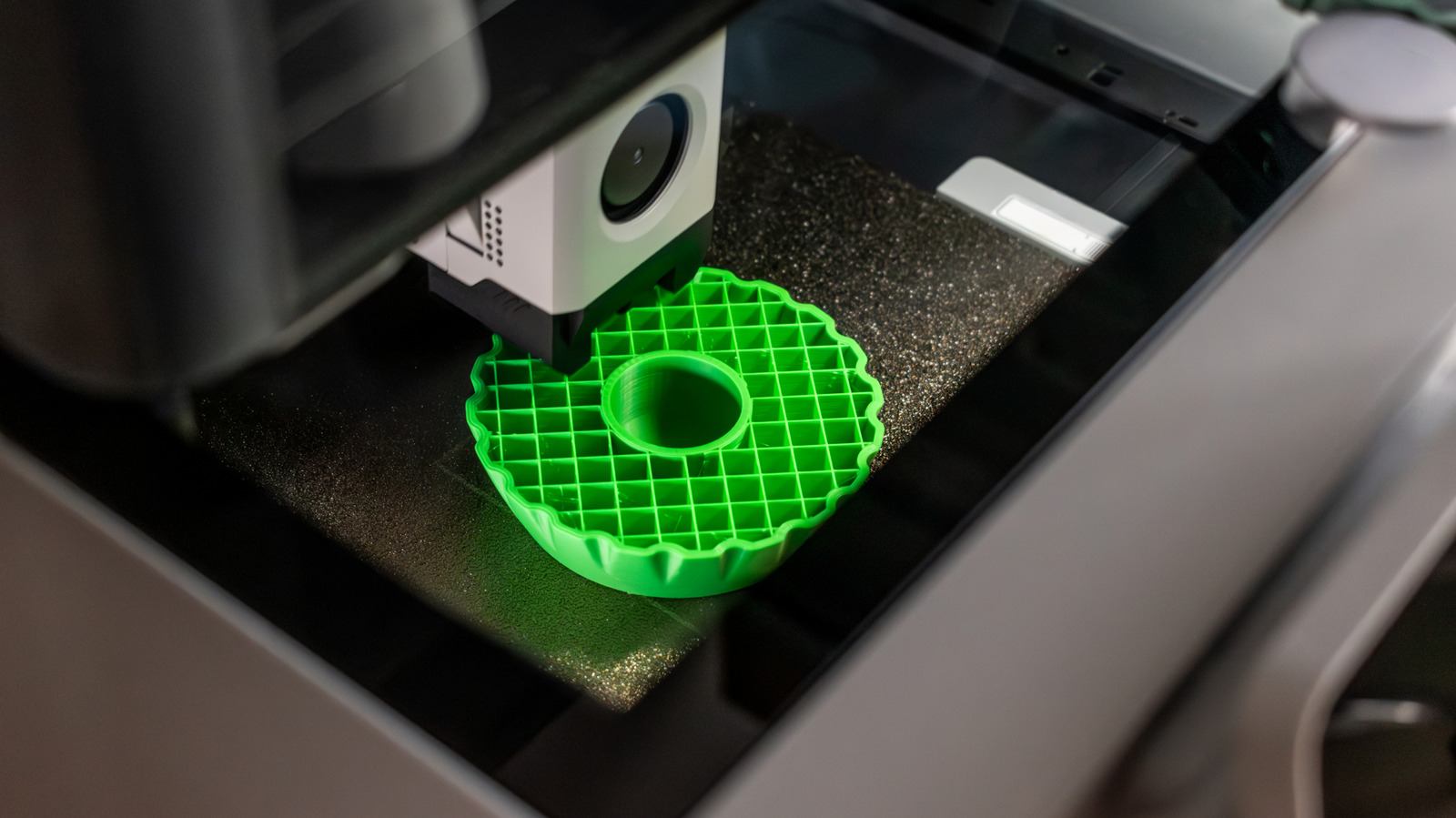
When a 3D printer builds a model layer by layer, the internal lattice known as infill plays a decisive role in determining whether the final piece holds up to its intended use. The pattern, density, and placement of this internal structure can influence everything from mechanical strength to material consumption and print duration, making it one of the most frequently adjusted settings in slicer software.
Infill is essentially the scaffolding that fills the empty space inside a printed object. While the outer walls – or perimeters – define the visible shape, the infill provides the hidden backbone that distributes loads and prevents deformation. Common patterns such as grid, honeycomb, gyroid, and triangle each offer distinct trade‑offs: a simple grid may print quickly but offers less isotropic strength, whereas a gyroid pattern can deliver uniform rigidity in all directions at the cost of longer processing times.
Choosing the right density is a balancing act. A higher percentage, say 80‑100%, creates a near‑solid part that can rival traditionally machined components in strength, but it also consumes more filament and extends the print by a noticeable margin. Conversely, low densities of 10‑20% are sufficient for decorative items, prototypes, or objects that will not bear significant loads, allowing for faster prints and material savings. Many users adopt a tiered approach, increasing infill in load‑bearing zones while keeping other areas sparse, a technique supported by advanced slicers that enable variable infill across a single model.
The decision to use infill at all depends on the part’s functional requirements. For purely aesthetic models, a hollow shell with minimal or no infill may be acceptable, especially when the design includes internal cavities or drainage holes. However, for functional components such as brackets, gears, or custom tools, a well‑designed infill pattern and appropriate density are essential to avoid cracking, warping, or premature failure under stress.
Looking ahead, improvements in printer firmware and slicer algorithms are making infill optimization more accessible. Adaptive infill, which automatically adjusts density based on geometry and predicted stress points, is becoming a standard feature in many professional‑grade software packages. As these tools mature, makers and engineers can expect more efficient use of material without compromising performance, reinforcing the notion that thoughtful infill selection remains a cornerstone of successful 3D printing.



Comments (0)
Be the first to comment.
Join the discussion