Android Split‑Screen Multitasking Works on Any Smartphone, Not Just Foldables
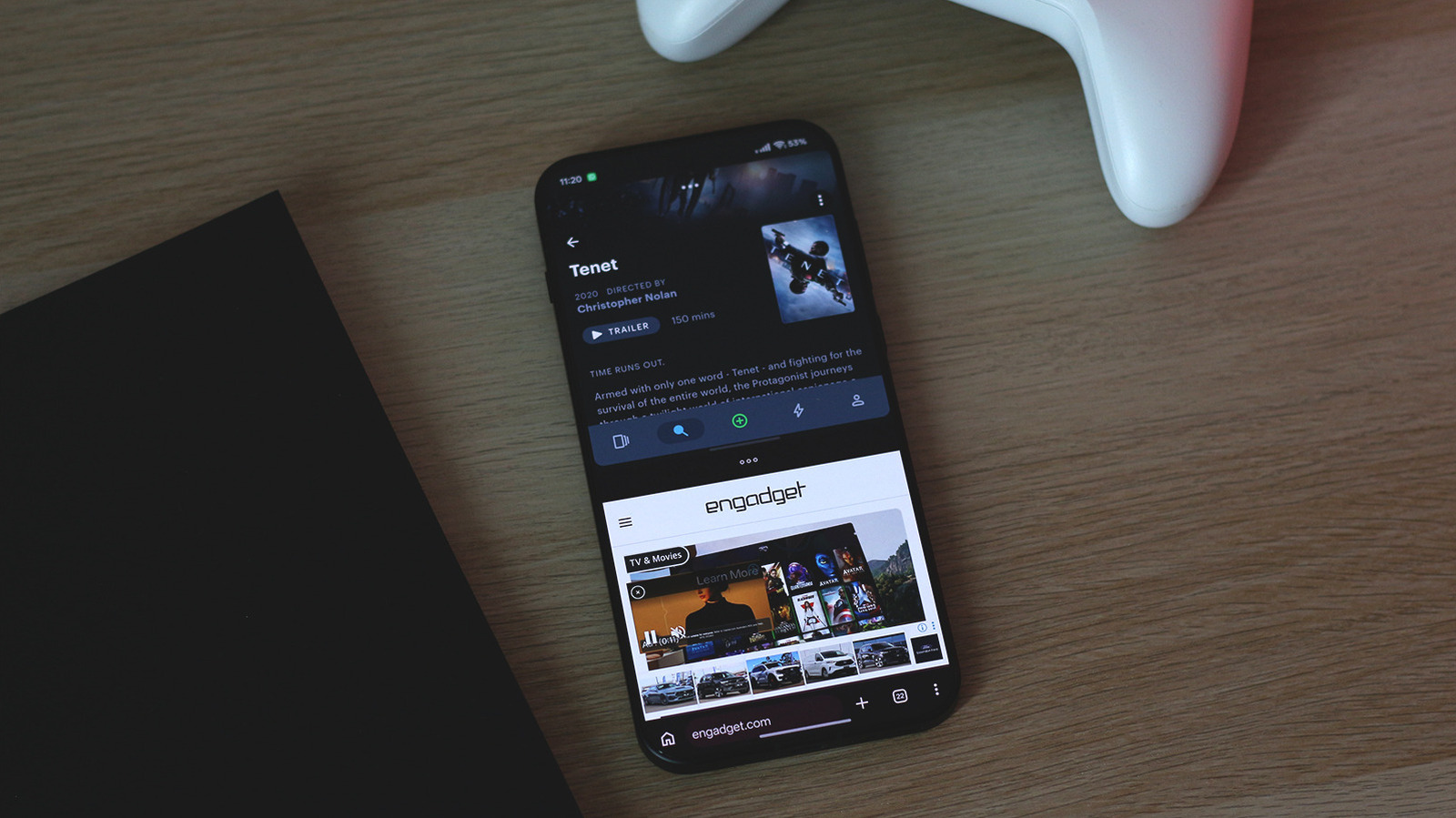
Google’s Android operating system lets users run two apps side by side on a regular smartphone, a capability often associated only with larger foldable devices. The split‑screen mode, introduced in Android 7.0 Nougat, can be activated on most phones running recent versions of the OS without any special hardware.
To engage the feature, users can open the recent‑apps view, tap the app’s icon, and select “Split screen” from the menu, then choose a second app to fill the remaining portion of the display. An alternative method involves dragging an app’s title bar to the top or bottom edge of the screen, prompting Android to resize it and open a second app alongside it.
Beyond the built‑in approach, several third‑party launchers and utility apps extend multitasking options. These tools can provide floating windows, pop‑up view, or quick‑switch gestures that mimic a desktop‑like experience, allowing users to keep a messaging app, video player, or navigation pane visible while working in another application.
The functionality is especially useful for productivity tasks such as referencing a document while drafting an email, comparing product listings, or following a map while chatting. While foldable phones and tablets naturally offer more screen real estate, Android’s software‑level multitasking ensures that users of standard smartphones are not left behind.
Manufacturers have gradually refined the experience, adding smoother animations and better app compatibility in Android 9 Pie, Android 10, and Android 12. Some device makers also pre‑install custom gesture controls that make launching split‑screen even faster, though the core capability remains part of the base OS.
Industry analysts note that the broader availability of split‑screen on everyday phones could influence app developers to design more flexible interfaces, ensuring their software works well in both full‑screen and multi‑window modes. This shift aligns with Google’s ongoing push to make the mobile platform more versatile for work and entertainment.
Looking ahead, Google is expected to continue enhancing multitasking features, possibly integrating deeper support for external displays, stylus input, and seamless transitions between phone and desktop environments via ChromeOS. For now, the message is clear: users do not need a foldable device to benefit from Android’s split‑screen capabilities; any compatible smartphone can deliver a dual‑app experience.



Comments (0)
Be the first to comment.
Join the discussion